Any key can do more.
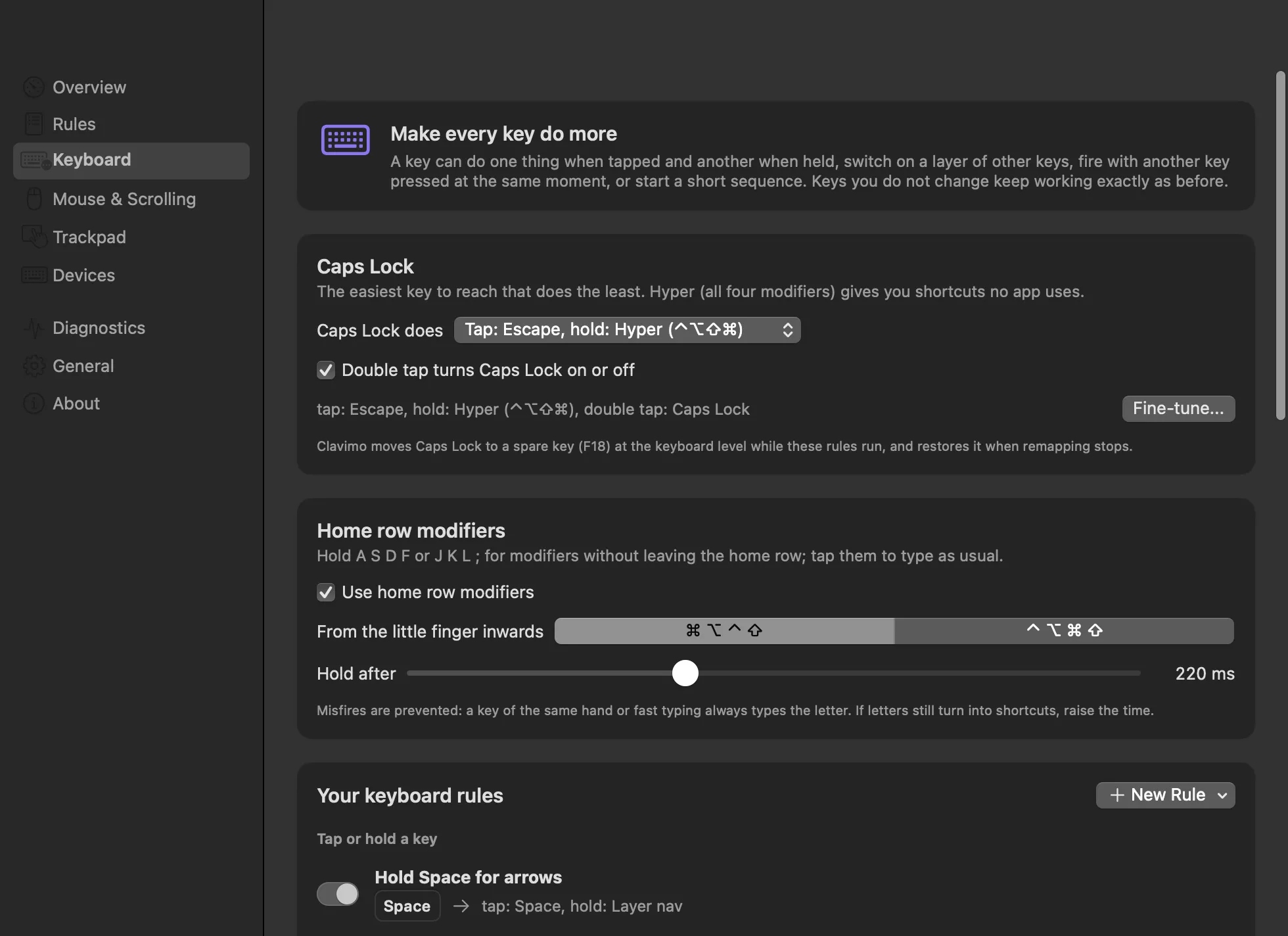
Remap or swap any key, make Caps Lock Escape when tapped and Hyper when held, hold Space for arrows under your right hand, or press J and K together for Escape. Left and right modifiers are separate keys.

Clavimo is a free Mac app that remaps keys, gives them a tap and a hold, and turns keys, mouse buttons and trackpad gestures into actions, down to turning two fingers like a volume knob. It lives in the menu bar and never sends anything anywhere.
Version 1.3.1 for macOS 14 or later.
Free and open source.
Remap or swap any key, make Caps Lock Escape when tapped and Hyper when held, hold Space for arrows under your right hand, or press J and K together for Escape. Left and right modifiers are separate keys.
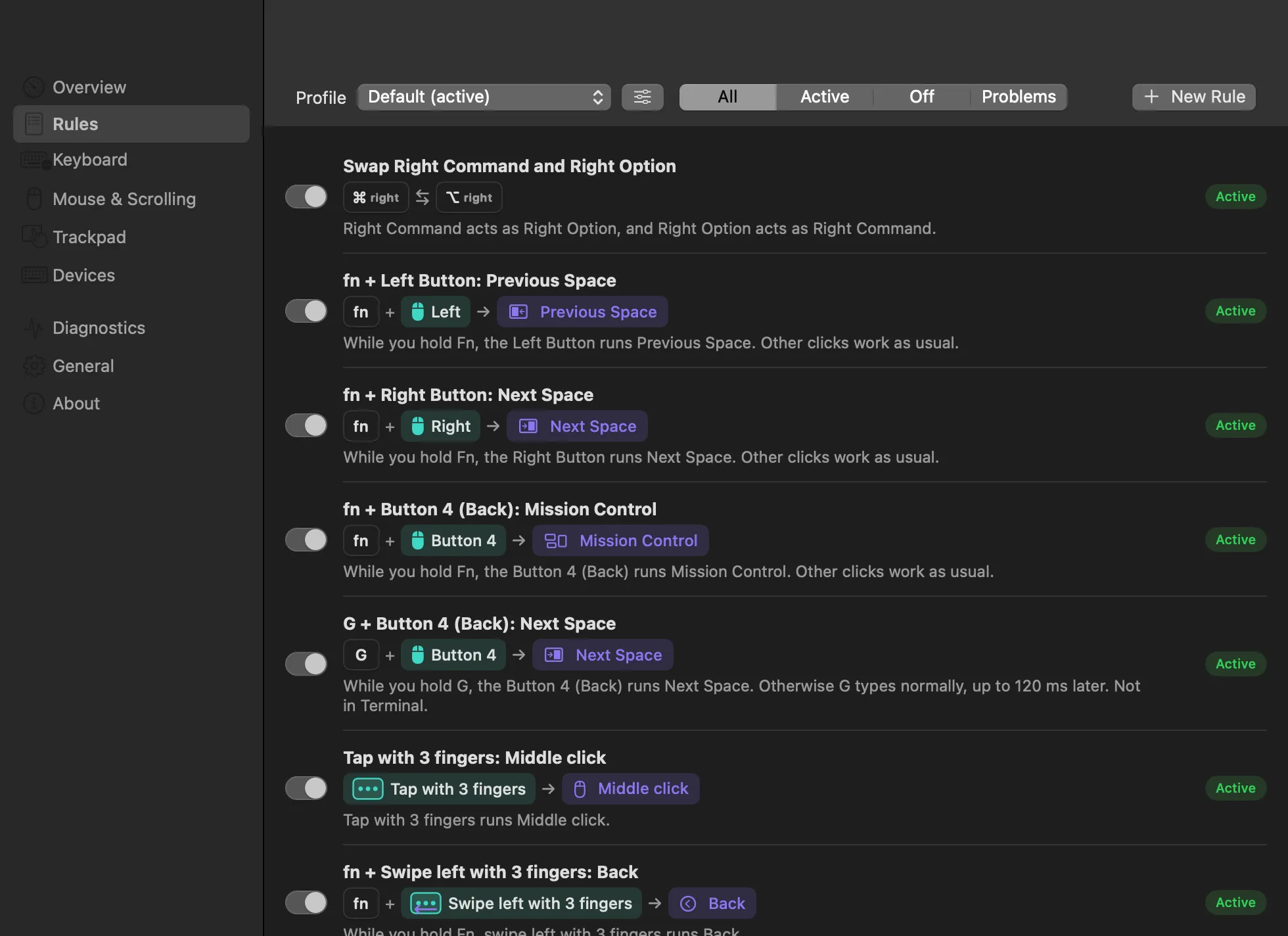
Pair any modifier or letter key with any mouse button, and run a keyboard shortcut, open an app, control music, switch desktops or open Mission Control.
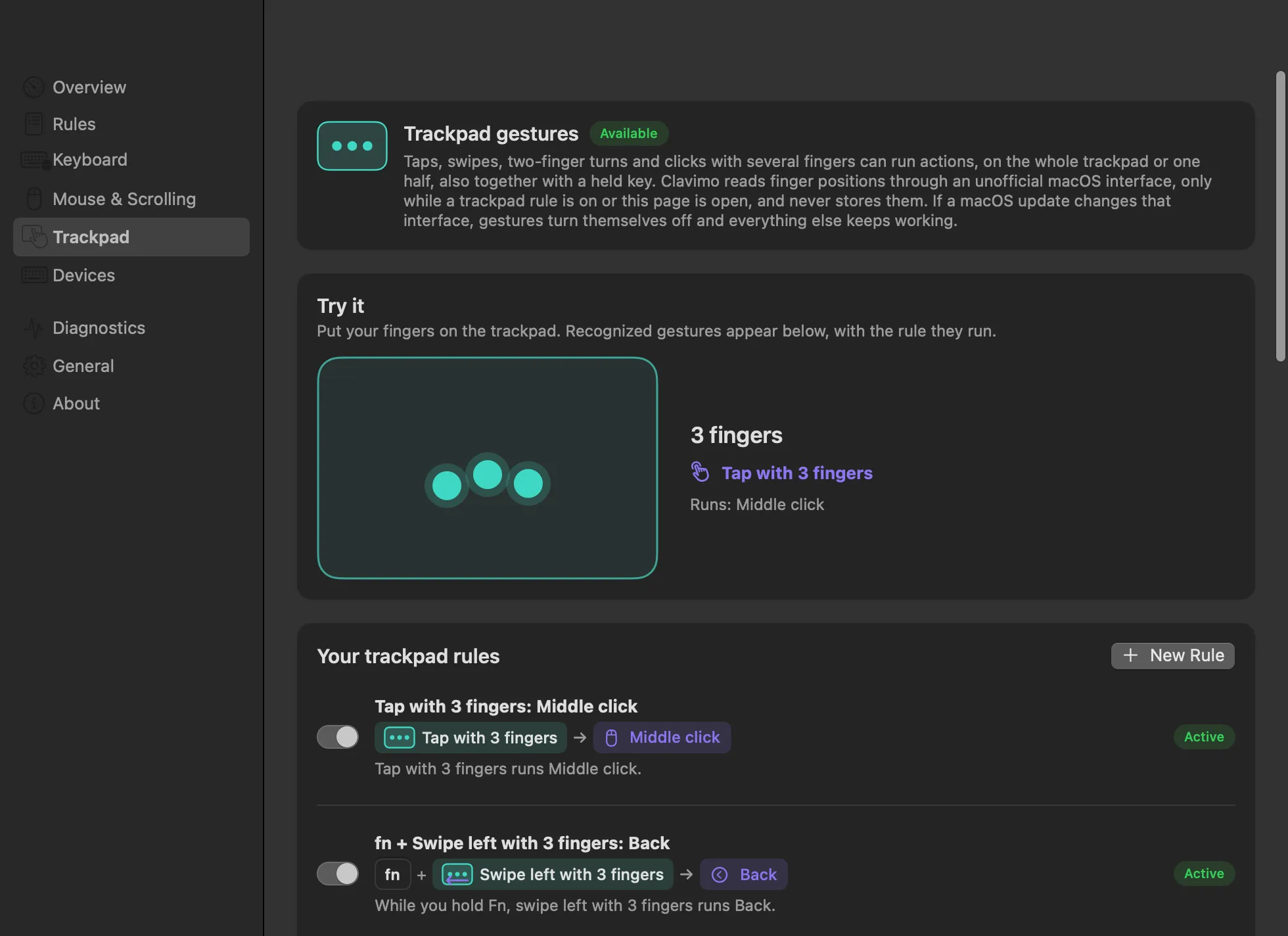
Tap with two to five fingers, swipe in four directions, tap beside a resting finger, click in a corner, or turn two fingers like a knob. Give any of them an action, on the whole trackpad or just one half, and hold a key for even more.
New in 1.3
The action compass puts up to eight actions around the pointer. Hold a side mouse button or a key, move towards an action and let go.
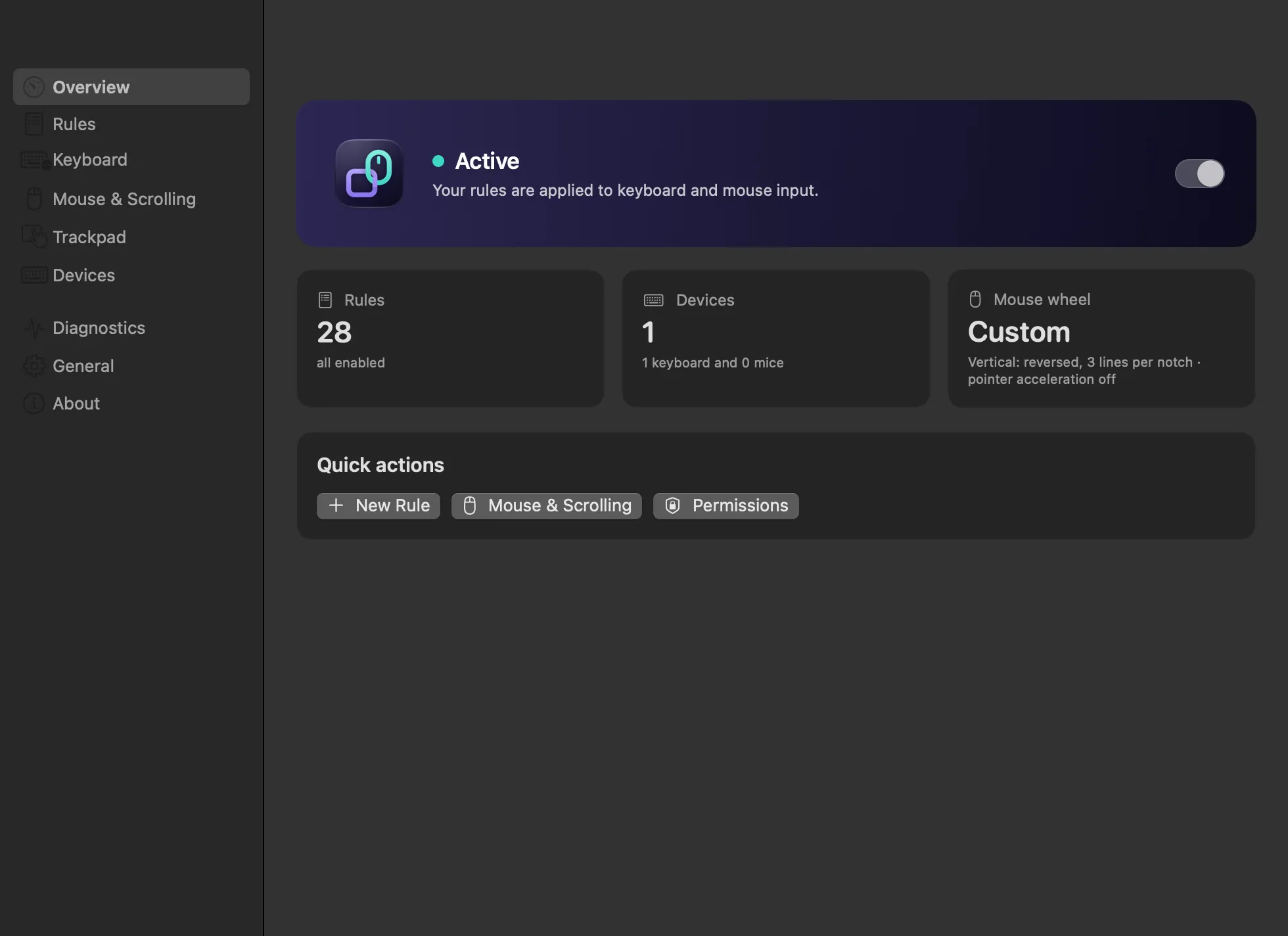
Reverse the mouse wheel without touching the trackpad, scroll a fixed number of lines, glide smoothly or turn momentum off. macOS has one switch for both; Clavimo gives each its own.
Limit a rule to the apps where it helps, keep it away from the ones where it gets in the way, and switch whole sets of rules with profiles from the menu bar.
Clavimo sees your keyboard and mouse because changing them is its job. It uses that access for nothing else.
Every rule is drawn as the keys, buttons and gestures it uses, and explained in one plain sentence. Start from a template, record a key by pressing it, set up Caps Lock and home row modifiers in a few clicks, and try gestures in a live preview.
Not sure how to set something up? Copy our ready-made prompt into ChatGPT, Claude or another assistant, say what you want in your own words, and paste the rules it writes into Clavimo.
Get the promptOnly your description goes to the assistant you choose. Clavimo itself never connects to the internet.

Clavimo is released under the MIT license. Read the code, report an issue or suggest a feature on GitHub.
Version 1.3.1 for macOS 14 or later.
Free and open source.